Manual appointment coordination
Calls and messages around an introductory call, counselling appointment or online meeting take time. Online booking lets clients choose an available appointment even when you cannot answer immediately.
Calendra helps organise individual appointments, online meetings, recurring visits, reminders, client profiles, payments and invoices. Staff can manage all appointments internally; public self-booking is optional. Employee access can be adapted to team roles.
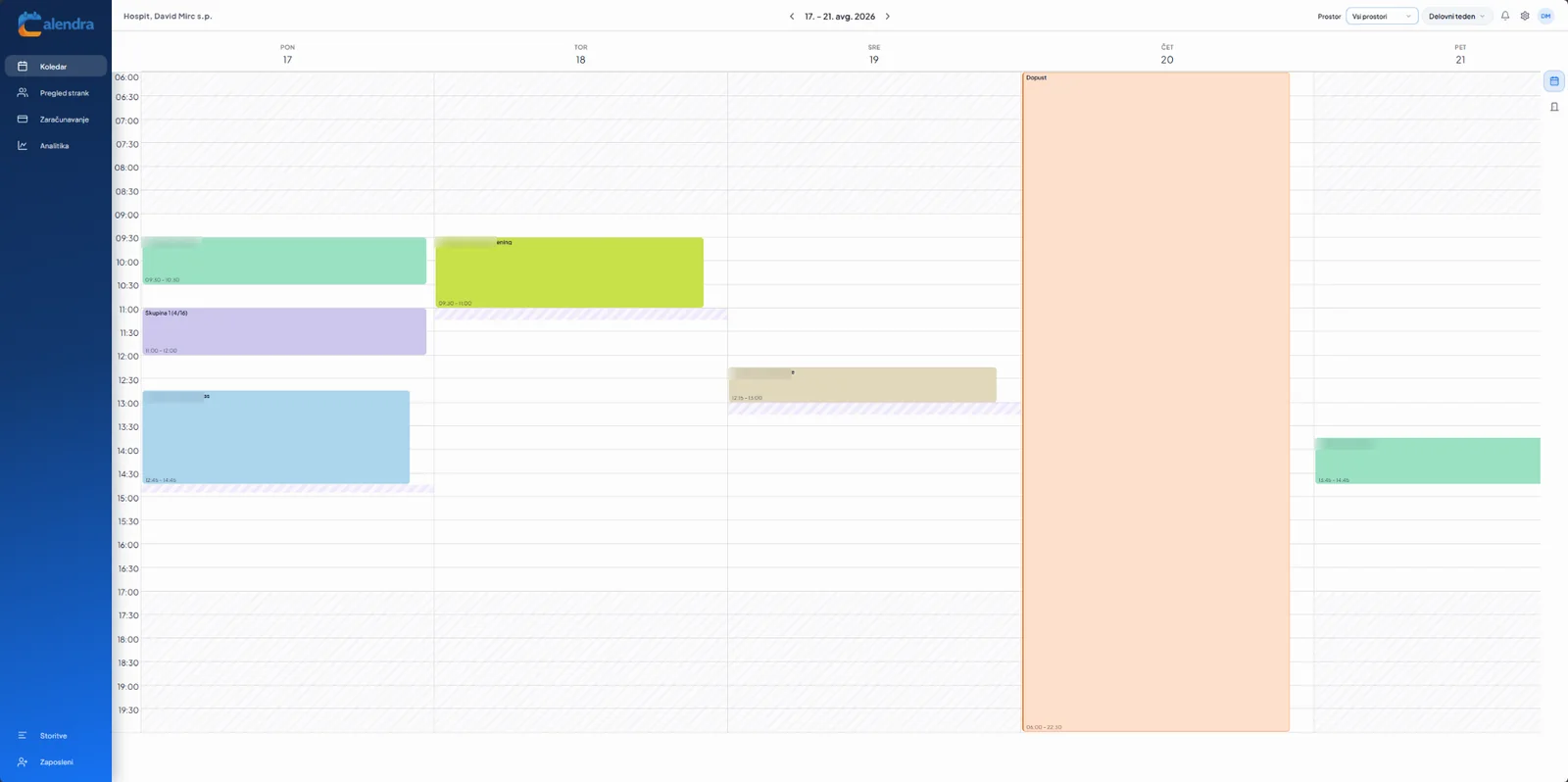
Calendra connects booking, availability and client information in one workflow.
Calls and messages around an introductory call, counselling appointment or online meeting take time. Online booking lets clients choose an available appointment even when you cannot answer immediately.
Calendra connects the availability of psychologists and counsellors and, where needed, providers, rooms and online availability to keep the schedule reliable.
Confirmations, reminders and rescheduling or cancellation links reduce misunderstandings and manual communication.
Appointment history, notes, payments and invoices stay connected to the client profile instead of being spread across several tools.
Use the features you need and adapt them to the way your team works.
View appointments by psychologists and counsellors, services, locations and, where relevant, providers, rooms and online availability.
Configure an introductory call, counselling appointment or online meeting with the right duration, price, eligible providers and booking rules.
Offer clients a public booking link or embed the booking widget on your own website.
Send email or SMS notifications and allow secure rescheduling or cancellation within your rules.
Contact details, appointment history, notes, documents and custom fields stay together.
Connect your Zoom or Google Meet account and enable the relevant integration for online meetings. Set staff permissions by role and check integration availability for your selected plan.
Set up services, duration, counsellor availability and staff access.
Staff enter an agreed appointment or recurring series. Enable public self-booking only if it suits your practice.
Use a connected video account for online appointments and allocate rooms for in-person meetings.
Configure notifications and rescheduling or cancellation rules. Keep sensitive counselling content out of messages.
Record the visit and issue an invoice after delivery. Keep clinical documentation in a dedicated system.
Providers can quickly see their appointments and availability while business-process information stays organised on the client profile.
Explore the appointment calendarCustomer experience
“Calendra lets us keep appointments, clients and work organisation clearly in one place. It is especially important to us that the system is easy to use both for our team and for clients booking appointments.”
Yes. Use a public booking link or website widget and decide which services, providers and times are available.
Yes. Every service can have its own duration, price, eligible providers and availability rules.
Yes. Add multiple users and configure their schedules, locations and roles around your organisation.
Yes. Email and SMS notifications are supported depending on the selected plan and configuration.
No. Calendra is a platform for booking, appointments, business client information, communication, payments and invoices. Use an appropriate dedicated system for legally required medical records.
Try Calendra for 14 days and configure providers, online appointments, reminders and access permissions.