Step 1
Choose a service
The customer sees services that the business has made available online.
Customers choose a service, employee and available time themselves. Calendra checks real availability, writes the booking directly to the calendar and sends confirmations and reminders without manual coordination.
Online booking in Calendra lets customers choose a service, an employee and a free time slot themselves, 24 hours a day. The booking is written straight into the calendar, and the customer receives a confirmation plus links to reschedule or cancel. You do not need a new website: use a public link or the widget.
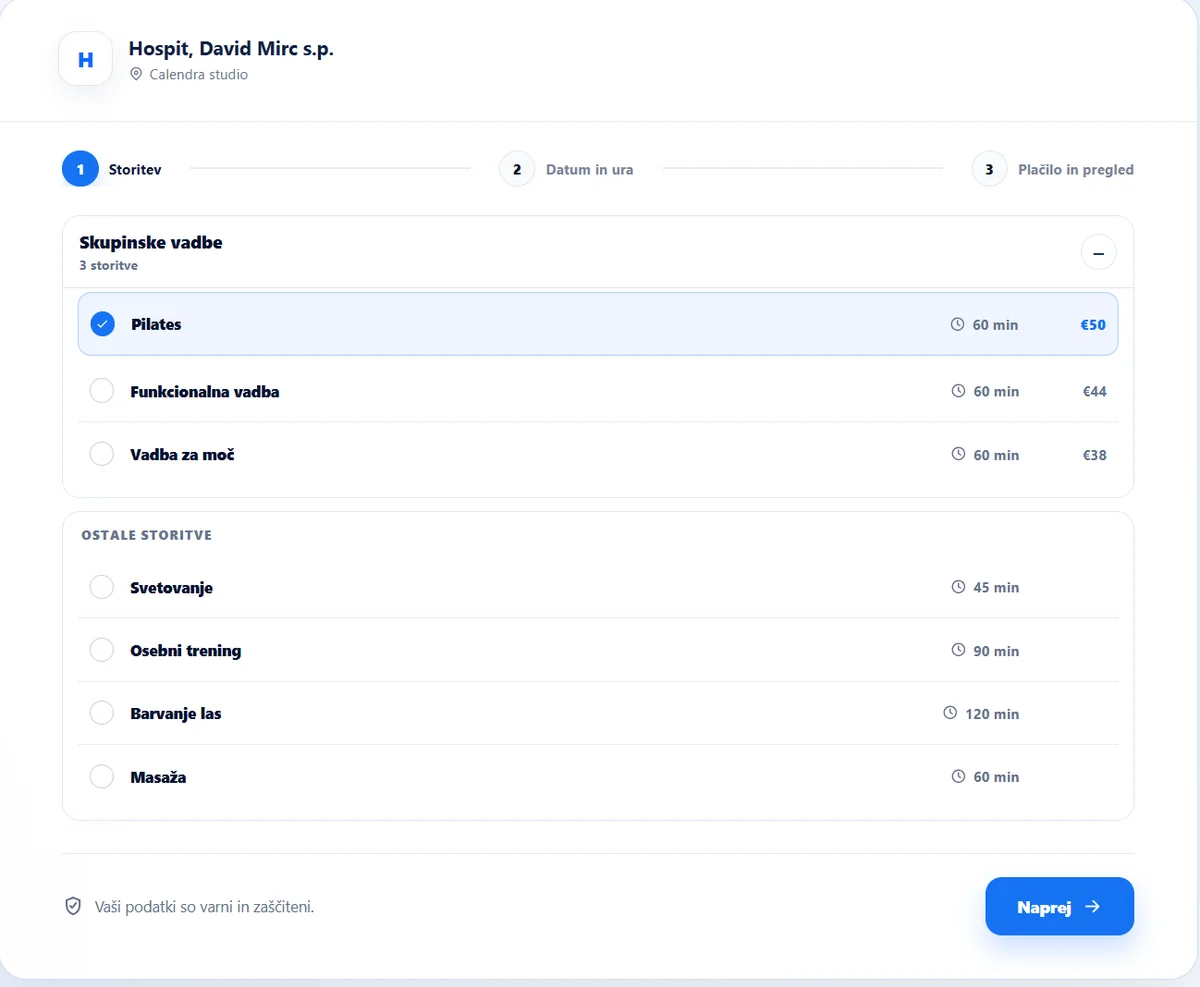
Step 1
The customer sees services that the business has made available online.
Step 2
When enabled, the customer selects a preferred provider or the first available person.
Step 3
Calendra considers working hours, absences, other bookings, resources and service rules.
Step 4
The customer reviews the details, selects payment and receives confirmation.
The public booking page guides customers from available time selection to the final booking review without phone coordination.
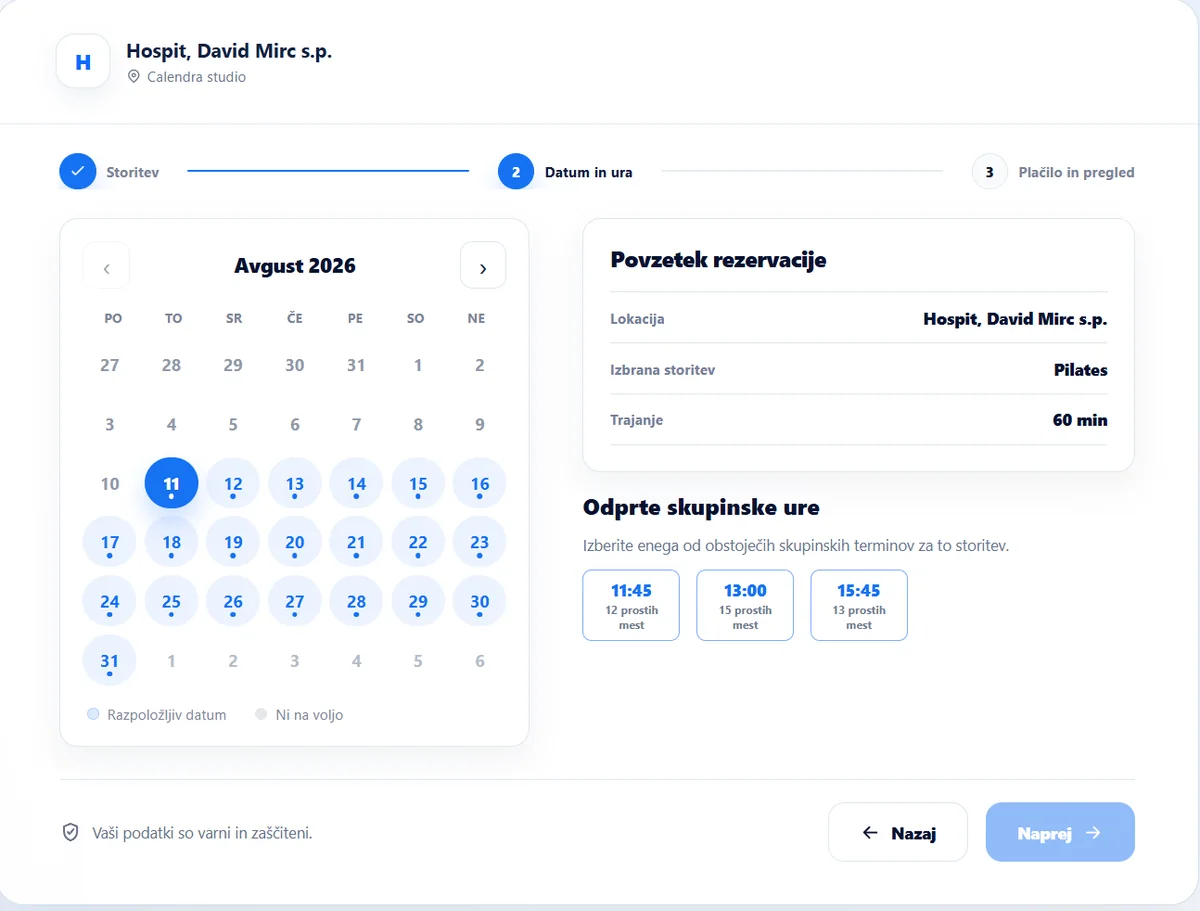
For group services, customers see open class times and remaining places. For one-to-one services, only genuinely available appointments are offered.
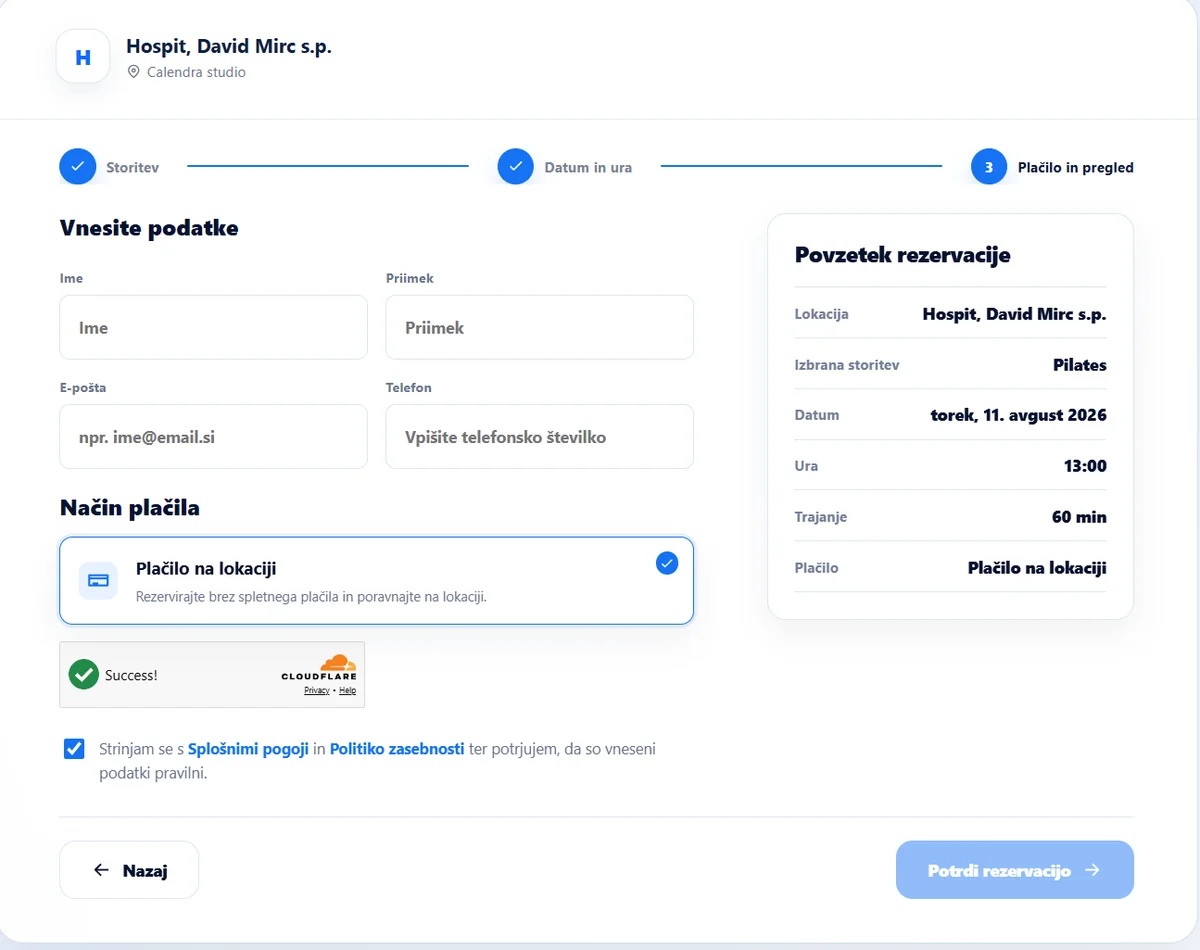
Before confirming, customers review the service, date, time and payment. The business decides whether the flow uses pay on site, a deposit or online payment.
The employee step can be enabled or skipped based on the service and workflow.
Choose supported payment methods and the required deposit for each offer.
Customers receive clear information and can use secure links to change or cancel.
Automatic notifications reduce missed appointments and manual coordination.
Embed booking on your website or share a standalone public booking link.
A confirmed booking appears in Calendra and for the selected employee without re-entering data.
Online booking is included in every Calendra plan at no extra charge. The price depends on the number of users and the additional features your business needs.
From €17.90 /month
Businesses using Calendra
“Calendra makes appointment organisation much simpler. Customers can book themselves, while we always have a clear view of the schedule and spend less time coordinating by phone or messages.”
Owner, Depilacije UG
Read the full storyNo. You can use a public link or add the Calendra widget to your existing website.
The business decides whether customers select an employee or Calendra offers the first available provider.
Yes. Depending on configuration, the business can require a deposit, full payment or payment on site.
Yes, when enabled by the business. Secure links in the confirmation message open the change or cancellation flow.
Yes. After successful confirmation, the appointment is added directly to the Calendra calendar.
For service businesses
Start a 14-day free trial and configure your booking flow without a credit card.