Telephone booking
Customers can choose an available appointment even when you cannot answer the phone.
This page is an overview of Calendra solutions for hair, beauty and related service businesses. It brings together the main options for booking, schedules, rooms, reminders, payments and invoices and links to more specific solutions for each salon type.
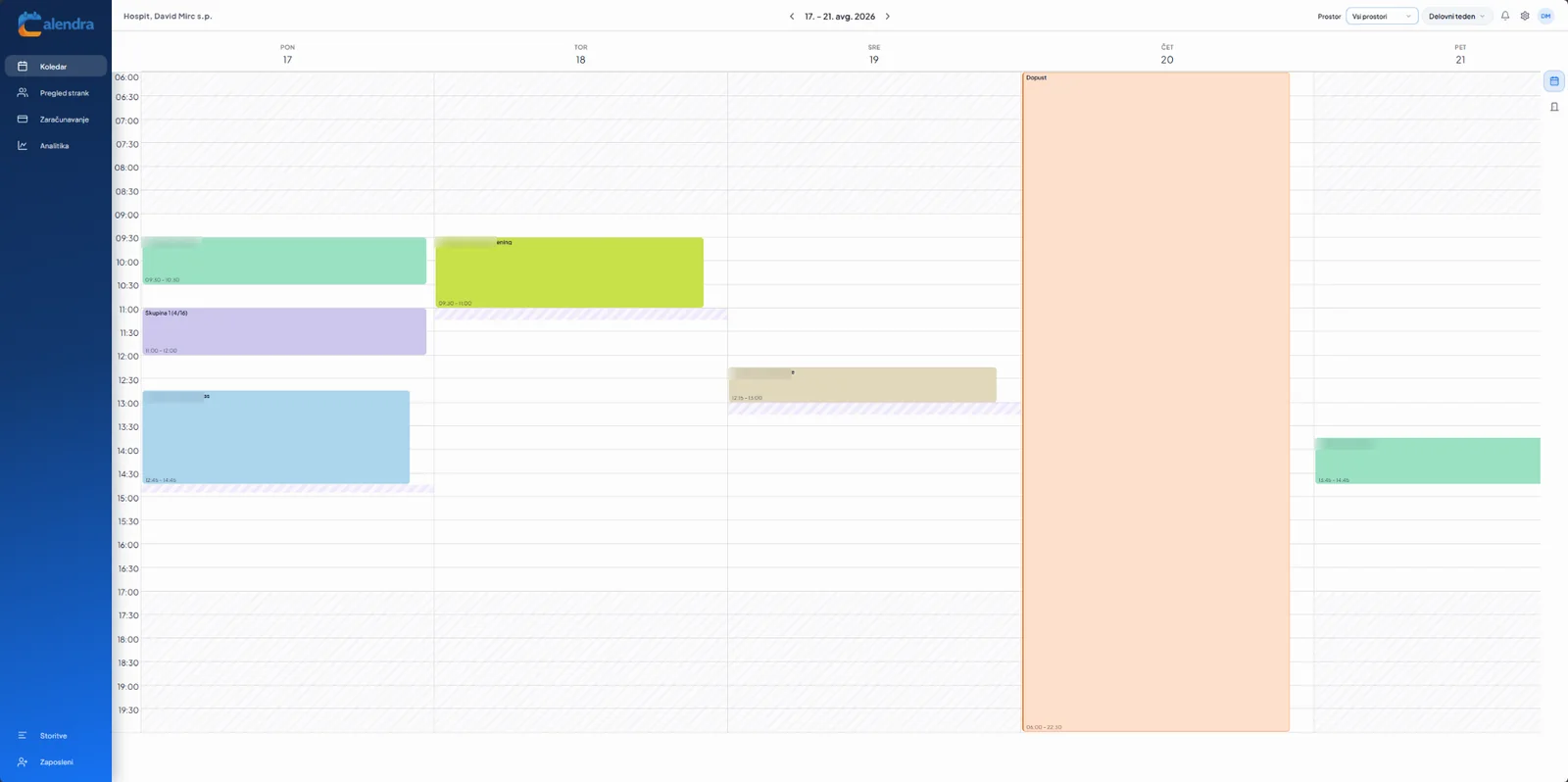
Calendra connects bookings, schedules and customer information so your team can focus on delivering services.
Customers can choose an available appointment even when you cannot answer the phone.
Availability of employees, treatment rooms, chairs and equipment is visible in one calendar.
Confirmations, reminders and change or cancellation links reduce misunderstandings.
Services, visits, notes, payments and invoices remain connected to the customer profile.
Enable the features your team actually uses and adapt them to the way your salon works.
View daily, weekly or work-week schedules for one employee or the whole team.
Haircuts, colouring, depilation or treatments can each have their own price, duration, preparation time and eligible employees.
Include treatment rooms, chairs, devices or other limited resources in availability checks.
Add a public booking link or place the booking widget on your website.
Send email or SMS notifications and allow secure rescheduling and cancellation.
Connect a completed service to its payment and invoice, then use packages, memberships, vouchers or other benefits for returning customers.
The customer chooses a service such as a haircut, colouring, depilation or treatment.
They select an employee or the first available time.
Calendra checks working hours, absences and the availability of the team and room.
The customer receives a confirmation and reminder and can reschedule or cancel when allowed.
After the visit, services are billed and the invoice and history stay connected to the client profile.
Employees can quickly see who is arriving, which service is booked and which room or equipment is required. Service colours and multiple calendar views keep busy days easy to understand.
Explore the appointment calendarCustomer experience
“Calendra makes appointment organisation much simpler. Customers can book themselves, while we always have a clear view of the schedule and spend less time coordinating by phone or messages.”
Yes. Choose which employees can deliver each service and let customers select an employee or the first available appointment.
Yes. Each service can have its own duration, price, preparation time, colour and booking rules.
Yes. Calendra checks the availability of rooms or equipment and prevents overlapping reservations.
Yes. Confirmation messages can contain secure rescheduling and cancellation links, with time limits controlled by you.
Yes. Services, employees, resources and appointments can be organised by business location.
Try Calendra free for 14 days without a credit card and configure the schedule around your employees, services and rooms.