Manual registration lists
Participants register themselves and the list updates automatically when changes occur.
Calendra connects fitness or studio schedules, online group-class registration, capacity, waiting lists, memberships, visit packages and actual attendance records. Personal training and group classes stay in the same system.
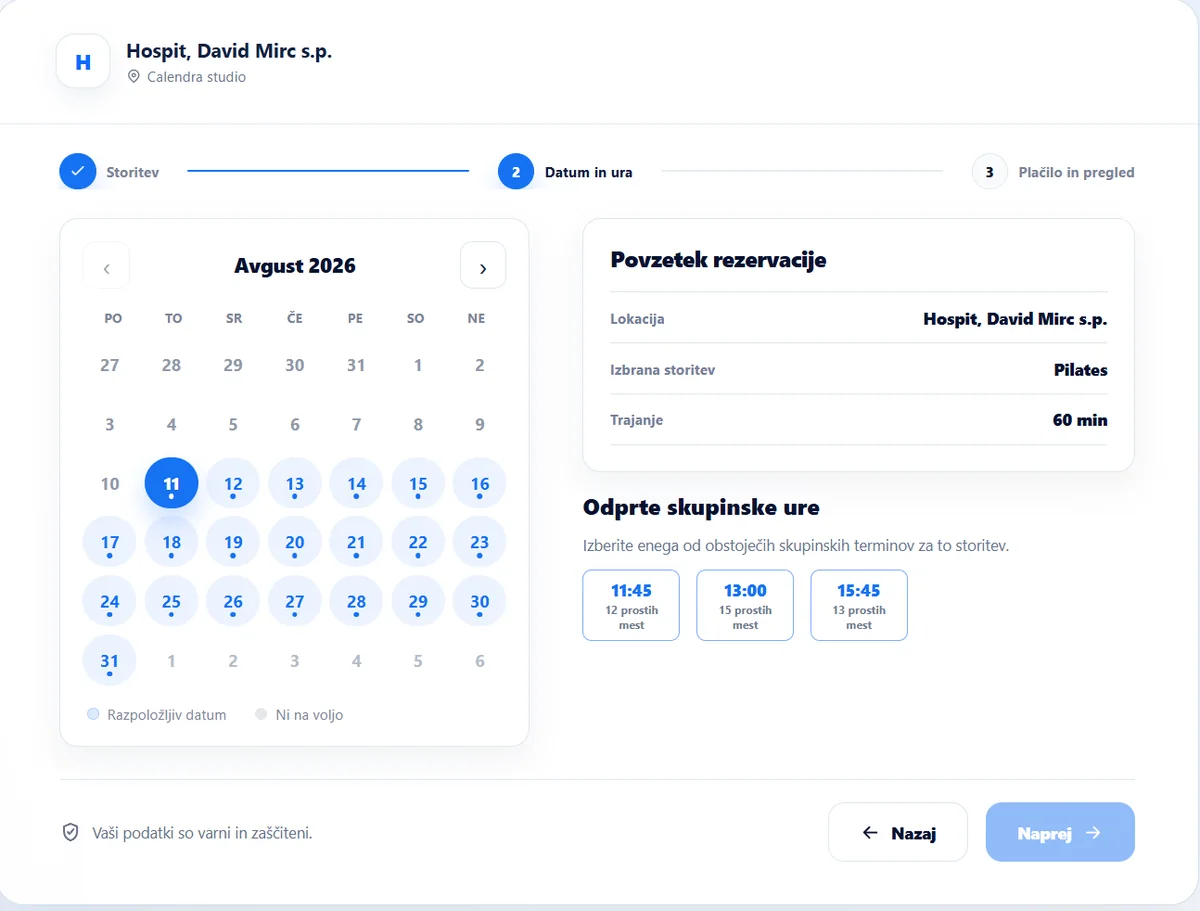
Calendra combines schedules, registration and participant entitlements so you do not need separate lists.
Participants register themselves and the list updates automatically when changes occur.
Capacity is visible for every occurrence. Once a class fills up, additional interest can stay on the waiting list and move into a place when one becomes available.
Create regular classes as a series and apply schedule changes only once.
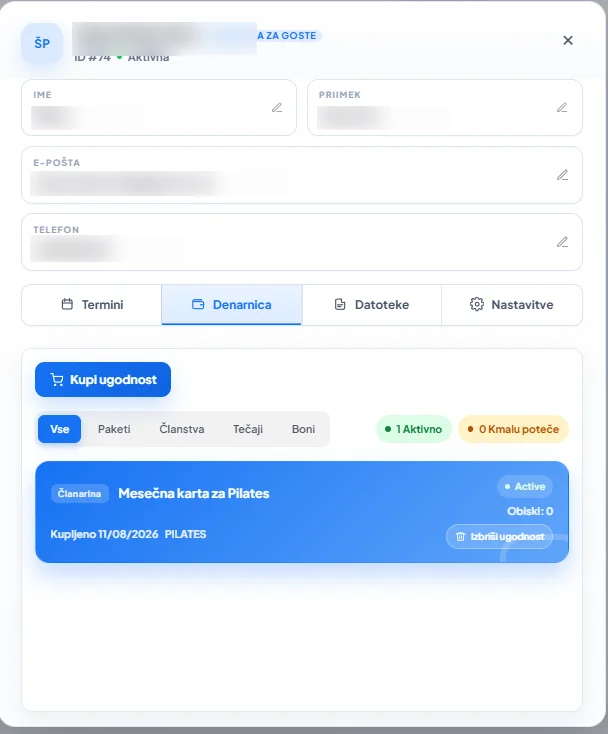
Memberships, packages and other benefits stay on the participant profile, while visits connect to appointments that were actually completed.
Use one platform for personal training, recurring group schedules, remaining places, waiting lists, memberships and visit usage.
Set the maximum number of participants, follow occupancy for each occurrence and see the number of remaining places immediately.
Participants register themselves. When a class is full, the waiting list keeps additional interest connected to the class and newly released places.
Assign an instructor, hall, studio or other location and check availability.
Sell or assign a membership or package and define which classes, services or groups it can be used for.
A visit is counted when the appointment is actually completed, so visit totals reflect real attendance rather than bookings alone.
Automatically notify registered participants about rescheduling, cancellation or other changes.
Create a one-off or recurring class and set its instructor, location and capacity.
Participants register online or in the app and immediately see the number of remaining places.
When a class is full, the waiting list keeps additional interest connected to the group.
Calendra sends confirmations and reminders and notifies registered participants about changes.
After completion, actual attendance connects to the participant’s membership or package and stays in their history.
During online booking participants see open class times and remaining places, while the team tracks capacity, the participant list and active memberships or visit packages in Calendra.
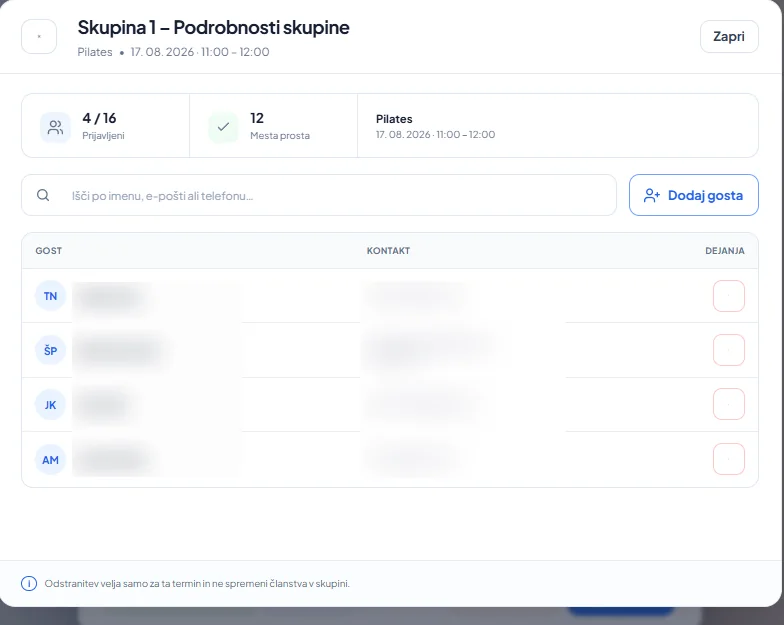
Yes. Set capacity for a group appointment and Calendra prevents further registration when all places are filled.
Yes. The same calendar supports individual services, group bookings and appointments with multiple customers.
Yes. Recurring appointments support regular schedules where one occurrence or all future appointments can be changed.
Yes. Packages, benefits and tickets track entitlements and the remaining number of visits.
Yes. When a group appointment is full, additional interest can remain connected through the waiting list. When a place becomes available, it can be offered to the next interested participant according to your configured workflow.
Start a 14-day free trial and configure capacity, recurrence, packages and notifications.