Inventory management

Inventory and material management for service businesses

Calendra brings items, stock, suppliers, purchasing, stock movements, inventory counts and material usage into one overview, so you always know what is available and what needs to be ordered next.

Inventory management in Calendra brings items, stock, suppliers, purchasing, movements, inventory counts and material usage into one place. Track stock by location, spot items below minimum stock quickly and review movements and usage without separate spreadsheets.

  • Items, categories and suppliers in one place
  • Stock by location, transfers and minimum-stock levels
  • Inventory counts, material usage and reports without separate spreadsheets

Where inventory management saves the most time

The module is designed for businesses that regularly consume products, supplies or other materials while providing services and need a reliable view of stock.

Beauty salon with consumable supplies

Track wax, creams, gloves, strips and other items in one inventory. For every item you can see current stock, minimum stock and location, making it easier to see what should be reordered before the next busy week.
Hair salon with colour and care products

Organise colour, developer, shampoos and care products by category and supplier. Purchasing and usage can be followed through stock movements instead of manually adjusting a separate spreadsheet.

Multiple branches with separate stock

Track inventory by location and record a transfer when material moves from one branch to another. This keeps the actual location of an item and the history of changes clear.

Regular stock counts and replenishment

During an inventory count, compare actual quantities with recorded stock. Items below minimum stock are easy to identify when preparing the next supplier order.

What an organised material inventory gives you

Fewer unexpected stock-outs

Minimum-stock levels and a low-stock overview help you prepare an order before essential material runs out during the working day.

A clear stock trail

Purchases, usage, transfers between locations and inventory adjustments live in the same record, making it easier to understand why stock changed.

Less manual administration

Items, suppliers, stock and reports no longer need to be spread across notebooks, spreadsheets and email; they sit alongside the rest of your Calendra workflow.

Spreadsheets compared with Calendra inventory management

A spreadsheet works for a very small item list, but becomes difficult to maintain once several employees or locations use the same materials.

What we compareSpreadsheet, notebook or manual recordCalendra
Current stockThe number is only accurate if every recent change was entered manually.Stock is shown directly for the item and selected location.
Item below minimum stockIt is noticed during a manual check or when the item has already run out.Low-stock items are collected in a dedicated overview for action.
Transfer between branchesTwo spreadsheet edits or a note that is difficult to trace later.A transfer is recorded between the source and destination locations.
Suppliers and purchasingContacts, items and purchase records are often stored in separate documents.Suppliers and purchasing are part of the same module as items and stock.
Inventory countDifferences are calculated and corrected manually in the spreadsheet.Run an inventory count in the module and record the actual quantity.
Usage reportingUsage needs to be assembled from several sources.Movements and material usage are available in reports for the selected period.

From an item record to organised stock

  1. 1

    Add items, categories, units and suppliers where needed.

  2. 2

    Set opening stock, location and minimum stock for important items.

  3. 3

    Record purchasing, usage and transfers between locations as they happen.

  4. 4

    Use inventory counts and reports to verify actual stock, usage and items that should be reordered.

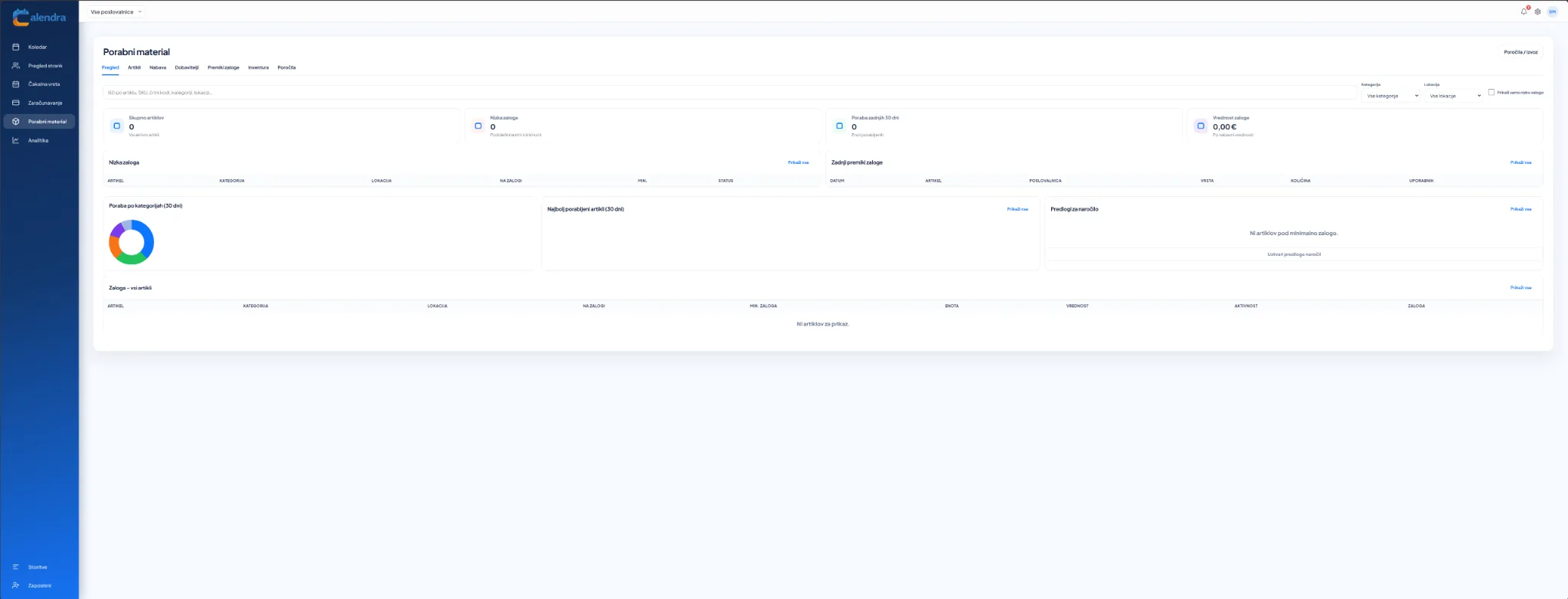
Calendra inventory management overview showing stock, low-stock items, movements, usage and reorder suggestions
Inventory management overview with stock, movements, usage and low-stock alerts.

How inventory management is organised

Items and categories

Each item has its own basic information, category, unit and stock level. Search and filters make it easy to narrow the list to the material you need.

Stock by location

If you use several branches, stock is tracked by location. Transfers create a clear trail instead of requiring the same change to be entered manually in two places.

Purchasing and suppliers

Keep suppliers and purchasing activity alongside the item catalogue. The low-stock view helps prepare the next order from the actual stock position.

Inventory counts, usage and reports

Inventory counts reconcile recorded and actual quantities, while reports help review usage and stock movements over a selected period.

Inventory management questions

Can I track stock separately by location?

Yes. Stock can be tracked by location and material transfers between branches can be recorded, so it is clear where each item is held.

Does Calendra show low-stock items?

Yes. You can set a minimum stock level for an item, and the inventory overview highlights items that fall below that threshold.

Can I manage suppliers and purchasing?

Yes. The module includes suppliers and purchasing, keeping item, purchasing and stock information together in one record.

How do inventory counts work?

During an inventory count, you enter the actual quantity and reconcile it with the recorded stock. Adjustments remain part of the stock history.

Can I track material usage?

Yes. Material usage and other stock movements can be recorded and then reviewed in reports for the selected period.

Manage appointments and materials in the same system

Alongside calendars, clients and invoicing, Calendra can also organise stock and material usage. The free trial lasts 14 days and does not require a credit card.

Start free